How to use automatic lateral flow strip cutter? (RE-ZQ800)
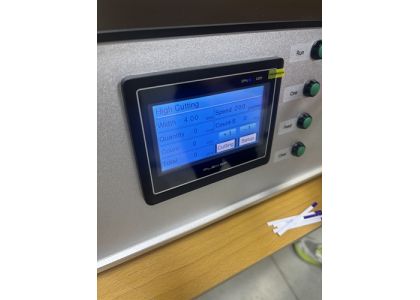
We are professional lateral flow test manufacturers in China. This video will explain the use of automatic strip cutting machine (RE-ZQ800).
First.
Place the uncut sheet rapid test strips on the platform of the lateral flow strip cutter. Then adjust and secure the uncut sheet.
Second.
Hold the handle with the red ball and press down to align the front end of the lateral flow test sheet with the blade.
Third.
Press the "Feed" button on the machine to discard the first rapid test strip, then press the "Run" button to continuously cut rapid test strip of same width.
Fourth.
The "One" button performs a single cut, and the "Clear" button resets the number of cuts.
Fifth.
The red "emergency" button is for emergency situations. Once pressed, the machine will stop immediately.
Last.
If you want to change the width of the one step rapid test strip, you can click "settings" and adjust it in the digital screen.
Our factory's product categories
We have many types of lateral flow manufacturing equipment, rapid test strip cutter, rapid test kit assembly machine, lateral flow reagent dispenser, rapid test packaging machine...
We also have many rapid test components, lateral flow test sheet, lateral flow pen, transfer pipet, plastic extraction tube, buffer rapid test...
Welcome to contact us,
Mobile Phone/whatsapp:+86 13072271248
E-mail: market08@recare.com.cn


